For parents

Help your child practice reading—one useful step at a time.

You do not need to recreate the school day. Choose something your child has been taught, try it together, and notice where a little help makes a difference. Start with the guide below, then decide whether a browser activity or the guided ReadPals app fits your family.

Choose today’s practiceStart reading
Start with what you notice

What would make reading easier today?

These are starting points for practice, not a test. Pick one that matches a familiar task; there is no need to try every activity. If you are not sure which one fits, use the free reading check to try a few words and short texts without a score or reading-age label.

“We are just starting with letters and sounds.”

Ask the teacher which letter–sound pairs the class is using. A letter’s name and its sound are different: knowing the name “ess” does not yet show that a child can use /s/ to read.

Choose one familiar letter. Say its sound, let your child join in, and find it again on paper. If it is new, teach it together rather than making them guess.

Hear a letter sound and its example →

For a spoken-word activity without printed letters, try First Sound: listen and choose a picture with the matching beginning sound. Hearing a beginning sound and reading a letter are different tasks; notice which one you are practicing.

“They say the sounds, but the word will not come together.”

Stay with one short word made from sounds they know. Model joining the sounds, say the word naturally, and check its meaning together. Do not add harder spellings just to keep moving.

Our first lesson models s, a, t → sat. Start there only after checking those sounds with your child; the lesson includes a meaning check and an adult handoff.

Try the supported first lesson →

For more supported word practice, Stretchy Blend offers a sound-paced track; check that its words use familiar spellings. If your child still cannot join sounds, the knows sounds but cannot blend guide explains how to make the task smaller.

“They read short words. What comes next?”

Try a short sentence using spellings they have already learned. Help with an untaught word, then talk about what the sentence means. Reading faster is not the only goal.

The sentence practice lets a grown-up check the spelling set before starting. If a sentence needs lots of help, return to a familiar word instead of treating it as a failed level.

Read or print two illustrated short-a mini-books →

Check the books’ sounds and helper words first. For a single sentence instead, choose sentence practice with familiar spellings.

If short-vowel blending is comfortable and you are introducing silent e, compare tap → tape and cap → cape with four practice words. Model the new a_e spelling first; it is not the next step for every child.

“A school report says they need more practice.”

Ask which skill the result refers to, what the teacher is teaching next, and what one home activity would support it. Keep the report’s name, date and wording for that conversation.

If it is a kindergarten DIBELS report, our guide separates letter names, spoken sounds and reading tasks. Its home activities are untimed practice, not the assessment or a way to predict a score.

Understand a kindergarten DIBELS report →
A small routine

Try five minutes together, then decide

Five minutes is a starting limit, not a target your child must complete. Stop sooner if they are tired or frustrated.

  1. Choose and model

    Pick one known sound, word or sentence. Show one example first. Say, “Watch me, then we can try it together.” Keep the rest of the activity out of sight.

  2. Let them have a turn

    Wait for a response. If they are stuck, supply the sound or model the blend again. A helpful prompt is part of teaching; it is not something to count as independent reading.

  3. Try a fresh example, without the cue

    After success together, offer a different word with the same taught spellings on paper. Leave out the picture, spoken answer and multiple-choice options. Help again if needed; this is an observation, not a score.

  4. End with meaning and a next step

    Ask what the word or sentence means, then finish with a shared story. Next time, revisit the same skill if it still needed help. A useful note is “joined sounds after I modeled,” rather than “passed” or “behind.”

What should you notice?

A correct tap may follow a picture, a remembered answer or a spoken model. Look for what your child can try with a fresh printed example and which help they need. Do not turn one difficult session into a judgment about ability. Share repeated patterns with their teacher.

Deciding whether to use ReadPals

Choose the support your family will actually use

A browser practice may be enough today

The first lesson and sentence practice above open without an account. Choose one when you already know the skill to practice and can sit beside your child. You can also use paper and your own voice; an app is optional.

The guided app is a separate next step

Explore it if you want reader profiles, a planned phonics sequence and account-saved progress. Check the current access and pricing details before deciding. The no-account practices do not establish which app plans or trials are available.

Neither option replaces teaching or an assessment. If your child needs a different starting point, ask their teacher for a matching practice task.

Inside the guided app

What your child sees

A lesson is one short, flowing session of small activities. Your child hears each instruction, taps or drags the answer, and a reading buddy cheers every step.

  • A planned phonics sequenceThe guided app offers a planned phonics sequence and practice activities. Sit together at first to check that the words and sounds fit what your child has been taught.
  • Warm, with small winsA wrong tap simply invites another friendly try.
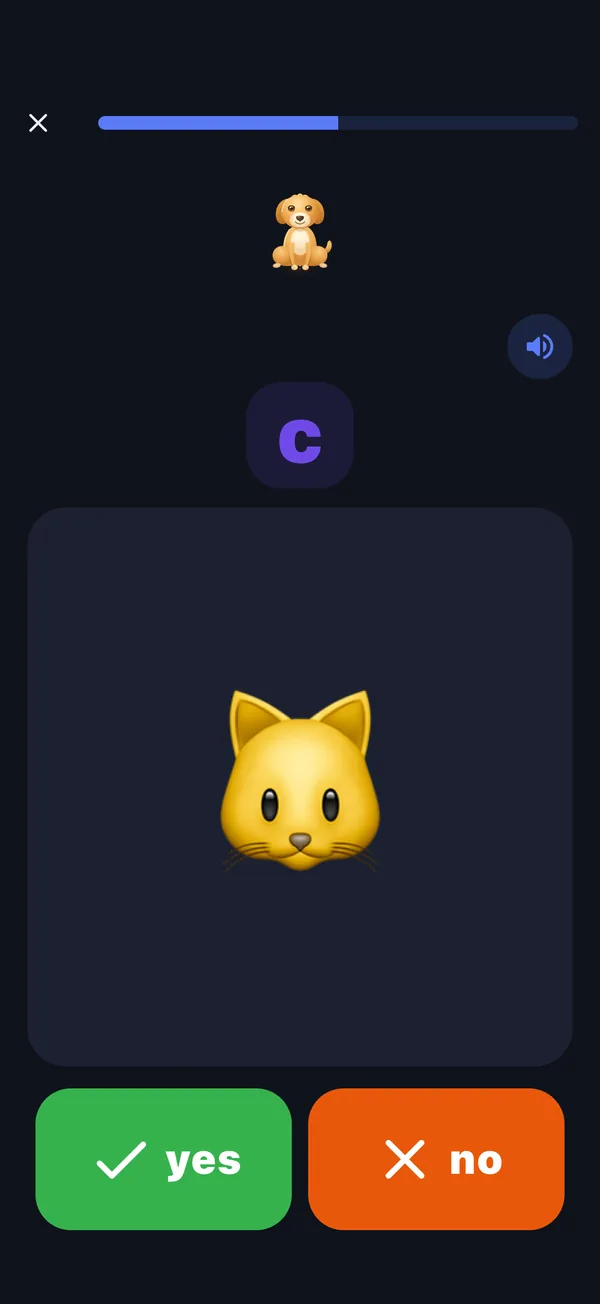
A ReadPals lesson screen: the letter c above a picture of a cat, with green yes and orange no buttons.
Listen, then decideYour child hears a sound and a question, then taps yes or no.
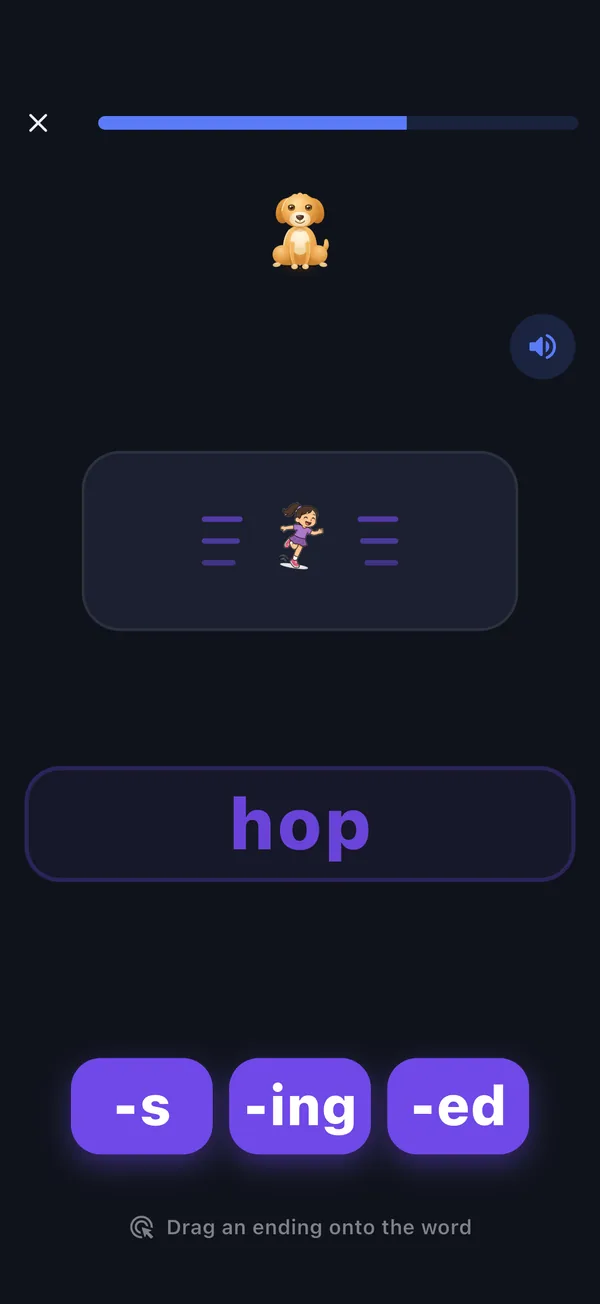
A ReadPals lesson screen: a picture of a child hopping above the word hop, with the endings s, ing and ed to drag onto it.
Build the wordThe picture changes, and your child drags the ending that makes the word match.
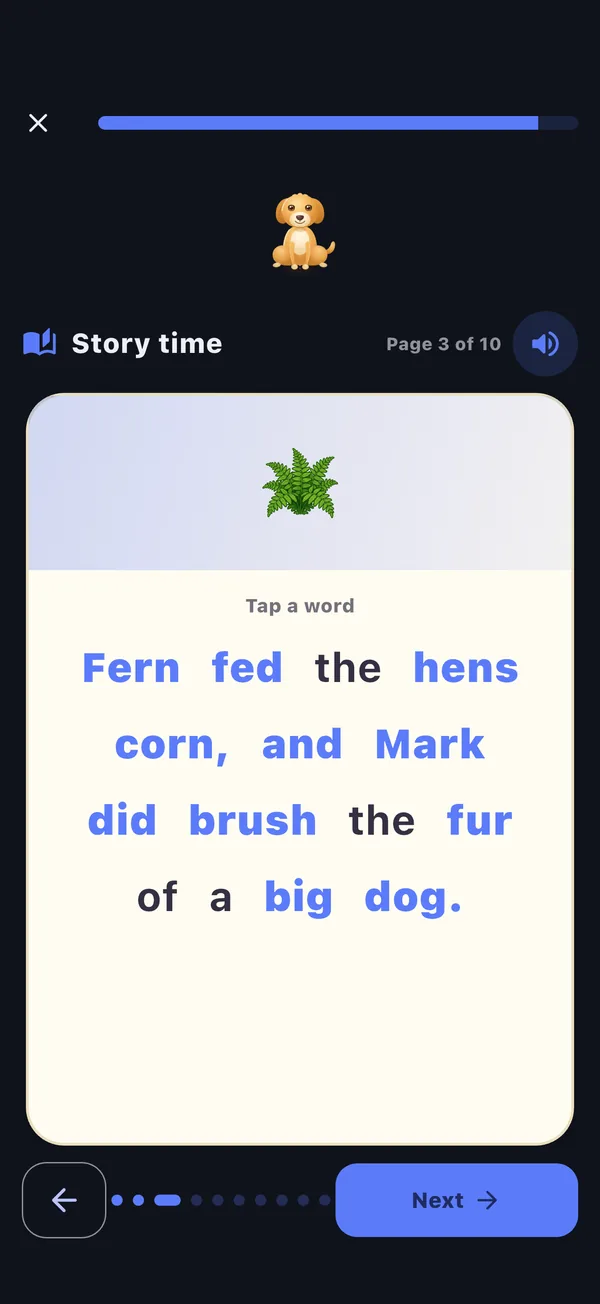
A ReadPals lesson screen: page 3 of 10 of a short story, with a fern picture above the sentence “Fern fed the hens corn, and Mark did brush the fur of a big dog.” and a Next button.
Read a little storyShort pages to read, with any word a tap away to hear again.

Real screens from the ReadPals app.

Example reader

Your view

What you see

The progress page starts with a plain summary: what your reader has learned, what they are practicing now, and what comes next. Use it to decide what to revisit together; an app result is not a reading assessment or proof that a child can use a skill independently.

  • Learned. Counts of the sounds and words your reader has learned, with the most recent ones shown as small tiles. Tap a count to see exactly which.
  • Practicing now. The sounds and words your reader is still working on. Right answers over a few days move these to learned.
  • Coming next. The sounds or words coming up in the part your reader is working on, as the next lesson plans them. When that part has nothing left to start, it shows the part after it, marked “After …”.
  • Level, streak and stars. A bar shows how far through the current level your reader is. Chips spell out the reading streak, such as “3-day streak”, and the stars earned.
  • Your reading map. The complete map of every level, part, sound and word stays closed until you choose “See the complete reading map”. Recent days shows how many of the last seven days had a lesson.

Illustration of the grown-up progress page, drawn from the app’s own labels, with an example reader rather than a real child.

Grown-ups first

You stay in charge

  • You set up each readerA grown-up adds each reader, and can change where they start at any time.
  • A grown-up check guards the controlsIt protects settings, progress, and every outside link, so little fingers stay in the lesson.
  • The microphone asks you firstYour device asks you before any activity uses the microphone.

Try one small reading step together

Start with the supported s, a, t lesson after checking those sounds. No account is needed for this practice.

Open the first lesson

Plays in your browser · Lessons that adapt · Grown-ups stay in charge