A daily phonics lesson for every child in your homeschool.
ReadPals gives each of your children a short, playful phonics lesson planned from what they have just shown they can do. You choose when reading happens, and ReadPals keeps track of which sounds each child knows and what comes next.
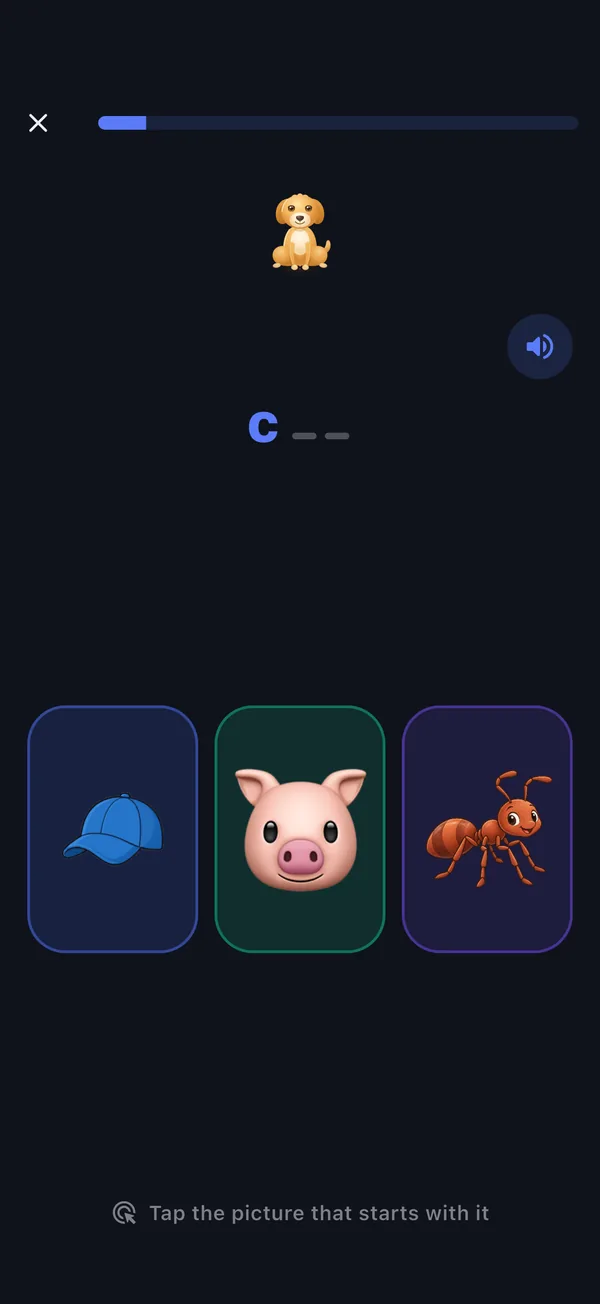
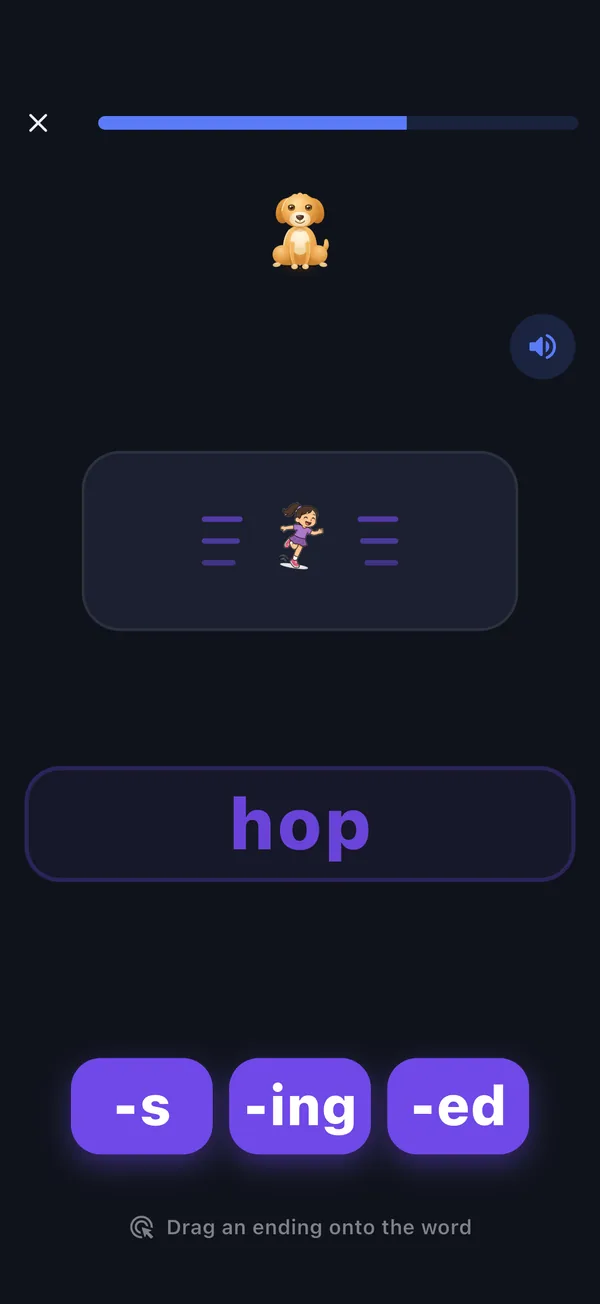
Real screens from the ReadPals app. Each child’s lessons start where that child is.
One way to run it
A routine for more than one child
Each lesson is one short, flowing session that works on a handful of skills, so it slips into a morning basket, quiet time, or the wait before lunch.
Add a reader for each child
Under one grown-up account, add a reader with just a name. Start from the beginning, or choose “Find my level” and pick where your child is: learning sounds, reading words, reading sentences, or reading short stories.
You can move a reader’s starting point later in that reader’s settings.
Each child plays their own lesson
Every lesson is planned from that child’s own answers, so a preschooler on first sounds and an older sibling on vowel teams can both read the same morning.
Instructions are spoken aloud, so a child who cannot read yet can play on their own once you have started their lesson, while you work with a sibling.
Switch to the next child
Open the grown-up area (a quick grown-up check keeps little fingers out), choose “Manage readers”, tap “Start reading” on the next child’s card, and confirm “Switch”.
Each reader keeps their own progress, stars and reading streak.
Check in when you plan the week
Open a reader’s progress to see what they have learned and what they are still practicing.
Add focus words from a book you are reading together under “Words from home”, and ReadPals weaves them in when they fit what that child is ready to learn.
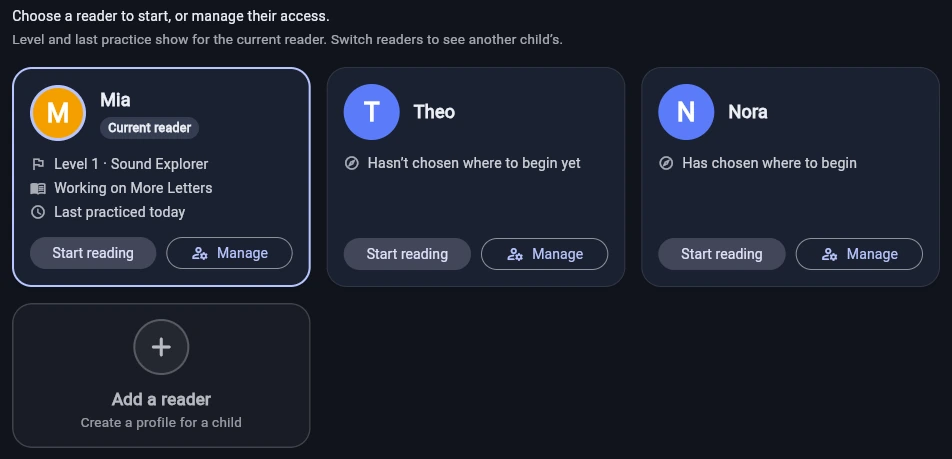
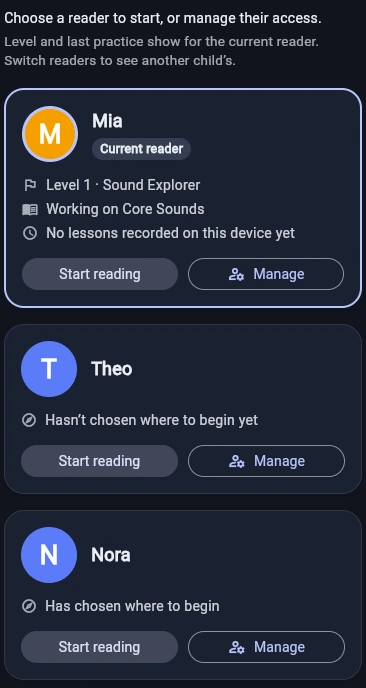
Adding a reader takes just a name. For how plans cover your children, see the pricing page.
Your view
Progress you can see for each child
The grown-up area shows each reader’s progress in plain words: what they have learned, what they are practicing now, and what comes next. The complete reading map opens from “See the complete reading map”.
- Learned. Counts of the sounds and words this reader has learned, with the most recent ones shown as small tiles. Tap a count to see exactly which.
- Practicing now. What this reader is still working on. Right answers over a few days move these to learned.
- Coming next. The sounds or words coming up in the part this reader is working on. When that part has nothing left to start, it shows the part after it.
- Streak, stars and recent days. See the reading streak, the stars earned, and how many of the last seven days this reader had a lesson.
- One reader at a time. Progress is kept for each child. To look at a sibling’s progress, switch to that reader and open their progress.
Illustration of the grown-up progress page, drawn from the app’s own labels, with an example reader rather than a real child.
Fits beside your phonics curriculum
One sequence, from first sounds to longer words
ReadPals follows a systematic phonics sequence, with tricky heart words along the way. Use it as daily practice next to the program you teach, or let it carry phonics for a young reader.
- Level 1Sound ExplorerLetter sounds, three-sound blending, and the first spelling patterns.
- Level 2Word BuilderDigraphs, blends, magic e, open syllables, and common endings.
- Level 3Story ReaderR-controlled spellings, long-vowel teams, and connected reading.
- Level 4Fluent ExplorerMore vowel teams, diphthongs, and soft c and g.
- Level 5Word MasterSilent letters, advanced patterns, syllable types, and longer words.
For a quick warm-up, or a turn for a younger sibling, the phonics games need no account: try Letter Trace for handwriting, Stretchy Blend for blending, or Story Time for a little story. Planning reading at home? Read our guides to decodable reading practice and help for struggling readers.
Compare the program, then inspect the practice
Check the starting point, kind of practice, setup and access against what your family needs. Our guide compares those details for ReadPals and one established program, then links to a public blending activity you can try. It does not claim that one program teaches better.
Compare, then try the practiceGo deeper with a guide for grown-ups
Read every post on the ReadPals blog, with practical phonics help for grown-ups teaching reading at home.
A few good next steps
Free pages that go well with this one.
Start your homeschool reading routine
Add a reader for each child and play the first lesson today.
Start readingPlays in your browser · Lessons that adapt · Grown-ups stay in charge